
Shortlist / Practical ideas from Abdessalam
3 tools to consider for a simple writing workflow
One way to divide writing work into exploring a draft, improving the wording, and keeping the project organized.

Before adding another writing tool, I would separate the jobs you need help with. Exploring a draft, editing a sentence, and finding your source notes are different problems. A tool becomes easier to judge when you give it one clear role.
This shortlist is organized around those roles. It is a starting point for your own evaluation, not a scored benchmark. You may only need one of these tools, or the tools you already have may cover the job.
Abdessalam’s shortlist
Three roles in a writing workflow
ChatGPT

A conversational assistant for working through ideas, drafting text, and asking follow-up questions.
My takeI would use the assistant to explore the shape of a piece before treating any paragraph as final. A useful test is whether it helps you ask a better question or see a missing part of the argument.
Useful for: Exploring an outline, drafting alternatives, and revising a brief.
Check first: Verify claims against original sources and check the settings before sharing sensitive material.
Read about ChatGPTGrammarly
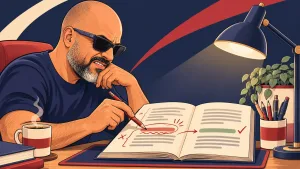
Writing assistance for grammar, clarity, and tone when you already have a draft to improve.
My takeThis serves a different purpose from generating a draft. Give it a piece you already understand, then use the suggestions to spot friction while keeping control of the final wording.
Useful for: Reviewing grammar, word choice, and tone in a draft.
Check first: Accept changes selectively. A style suggestion can change emphasis or remove a phrase that sounds like you.
Read about GrammarlyNotion

A workspace for keeping notes, documents, and project information together.
My takeA place for your brief and source notes can make the whole process easier to revisit. Keep the setup small enough that maintaining it does not become another project.
Useful for: Organizing source notes, content briefs, and project status.
Check first: Check permissions and export options before making it the only home for important work.
Read about Notion
Give the workflow a small test
Choose a short article or email you already need to write. Keep the brief, draft, corrections, and final version together. Then ask whether the process made the work clearer or simply added steps.
Checklist by Abdessalam
- Evidence
- Research note
- Difficulty
- Beginner
- Time
- 10 minutes
- Last checked
- September 10, 2026
Progress is saved in this browser. Nothing is sent to the site.
0 of 10 complete
Start with a careful editing prompt
Once the ideas are yours and the facts are checked, this prompt gives the editing pass a clear boundary.
Prompt by Abdessalam
- Evidence
- Research note
- Difficulty
- Beginner
- Time
- 5 minutes
- Last checked
- September 10, 2026
Fill in the audience and the draft below. Copy the completed prompt, then compare the edited version with your original before accepting changes.
Act as a careful editor. My audience is {{audience}}. Edit this draft for clarity while preserving my meaning and natural voice: {{draft}} Use familiar words and concrete sentences. Vary sentence length where it helps the reader. Remove repetition and vague filler. Do not add facts, quotes, personal experiences, or product claims that are not in the draft. Flag unsupported claims and missing context. Do not use em dashes. Return an edited draft, followed by a short explanation of the most useful changes and any questions I still need to answer.audience=Independent professionals learning to use AI carefully draft=AI can make writing faster, but the first answer often needs fact checking and editing.Your inputs stay on this page. Copy the prompt when you are ready to use it.
Discussion

Community discussion
Join the discussion
Start here: Which option would you test first, and what constraint would decide it?
Share what you tried or add a useful correction. Be specific and kind.
Discussion guidelines
- Share direct experience when you can.
- Challenge ideas without attacking people.
- Do not post private information or promotional links.
Which option would you test first, and what constraint would decide it?
Continue where you left off
Add to the discussion
Sign in to join the discussion.